How it works
Eight things, in the order you’d actually use them
OffWatch is built around one situation: you’re somewhere new, you have a few hours off watch, and you don’t know who else is around. Everything below exists to answer that.
1 · Discover who’s nearby
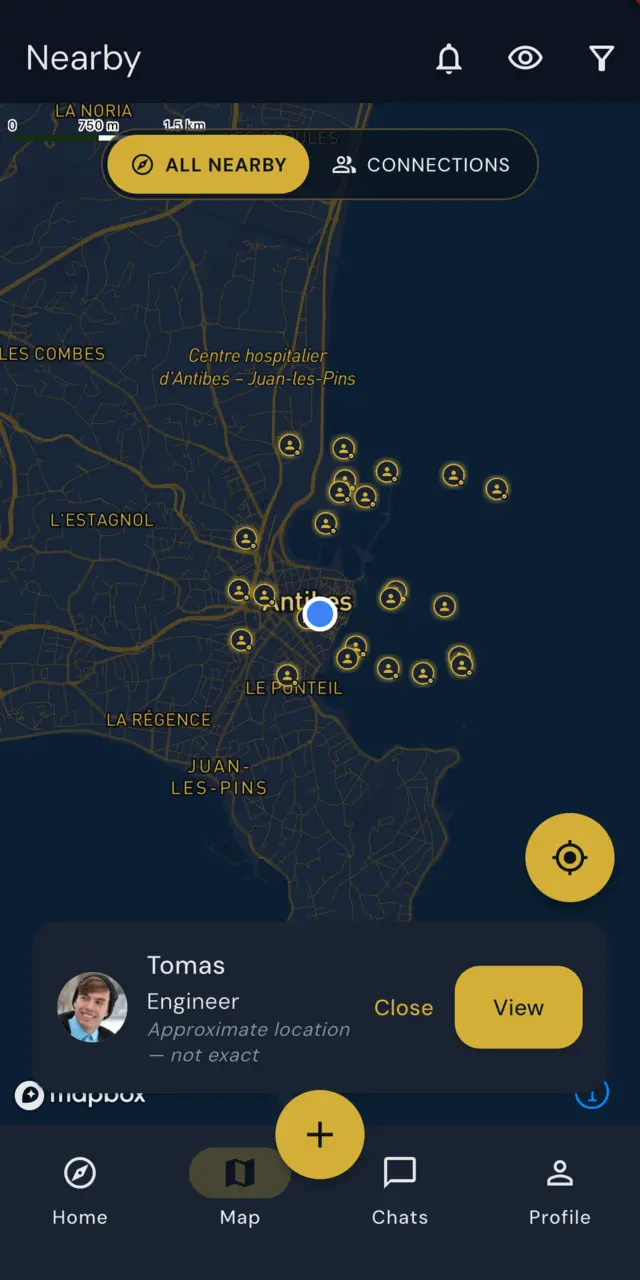
Crew Nearby and the map show other OffWatch members in your area. Not a global feed of strangers — the people who are actually close enough to meet before you sail.
Why it exists. Thousands of people work at sea. Most never meet, because nobody knows who else is in port on the same night.
On the map you can switch between everyone discoverable nearby and just your connections. It is a switch between two server-side reads — never a way to widen what you were allowed to see in the first place.
Positions are deliberately approximate. Pins are snapped to a grid of roughly a kilometre. The app is never sent anyone’s exact position — not yours, not theirs. Close enough to know someone is in town; nowhere near precise enough to find their door.
2 · Find the people who like what you like
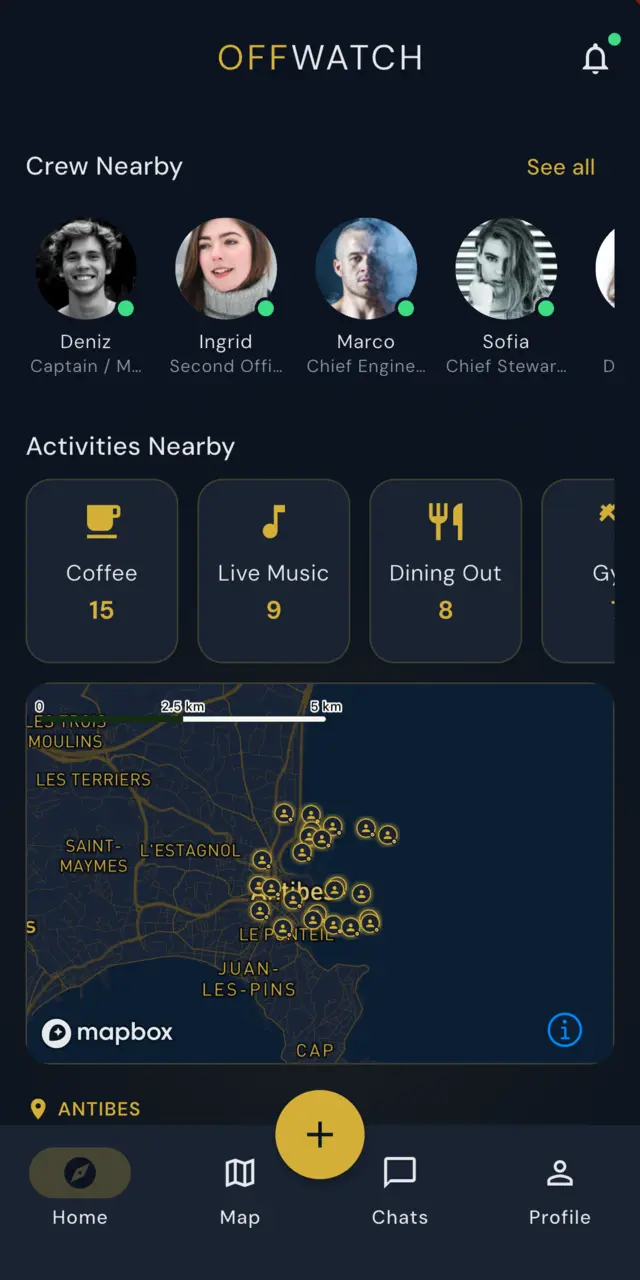
When you set up your profile you choose the things you actually enjoy, from a curated list grouped into Fitness, Water & Sea, Sport, Food & Drink, Nightlife & Social, Games, Culture & Creative and Outdoors & Travel — gym, diving, football, coffee, live music and so on. Pick up to fifteen.
That turns into Activities Nearby. Rather than scrolling every profile hoping to spot something in common, you see each activity alongside how many people near you are into it — then open one and see just those people. Somebody to run with, dive with, or find a decent coffee with, without having to ask around.
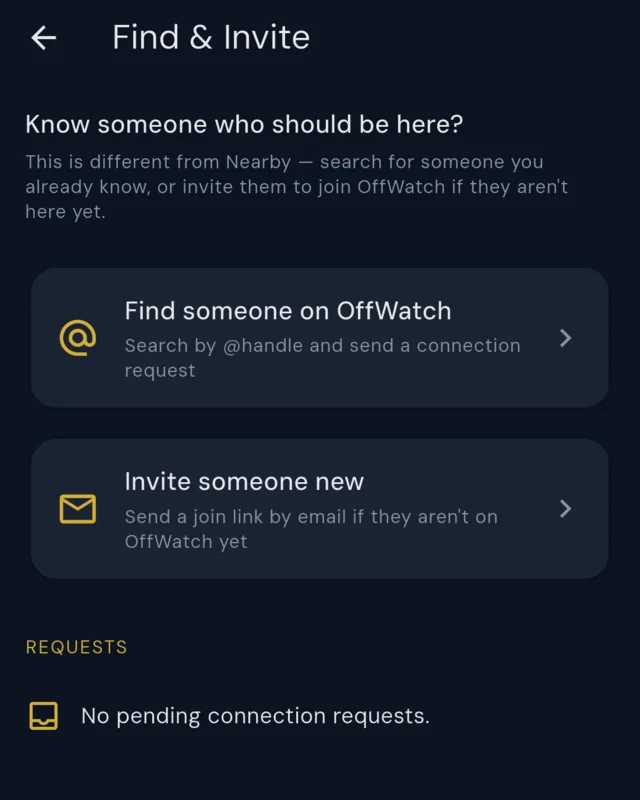
Or find someone you already know. Nearby discovery answers “who is around me?”. Sometimes you already have the answer — a shipmate from two seasons ago, someone you swapped names with in a crew mess. Find & Invite is the other half: search OffWatch directly by @handle and send them a connection request. It has nothing to do with proximity, so it works whether they are in the next marina or on the other side of the world.
And if they aren’t here yet, you can send them an invitation to join. An invitation is exactly that — an invitation. OffWatch is in Closed Beta, so it puts them in the queue for a place rather than handing them one, and they join the waiting list like everyone else.
Why it exists. “Who else is here?” is a much less useful question than “who else here would come climbing?”. Shared interests are what turn a name on a screen into an afternoon ashore — and the people you already trust are worth being able to find on purpose.
3 · Events — something to actually turn up to
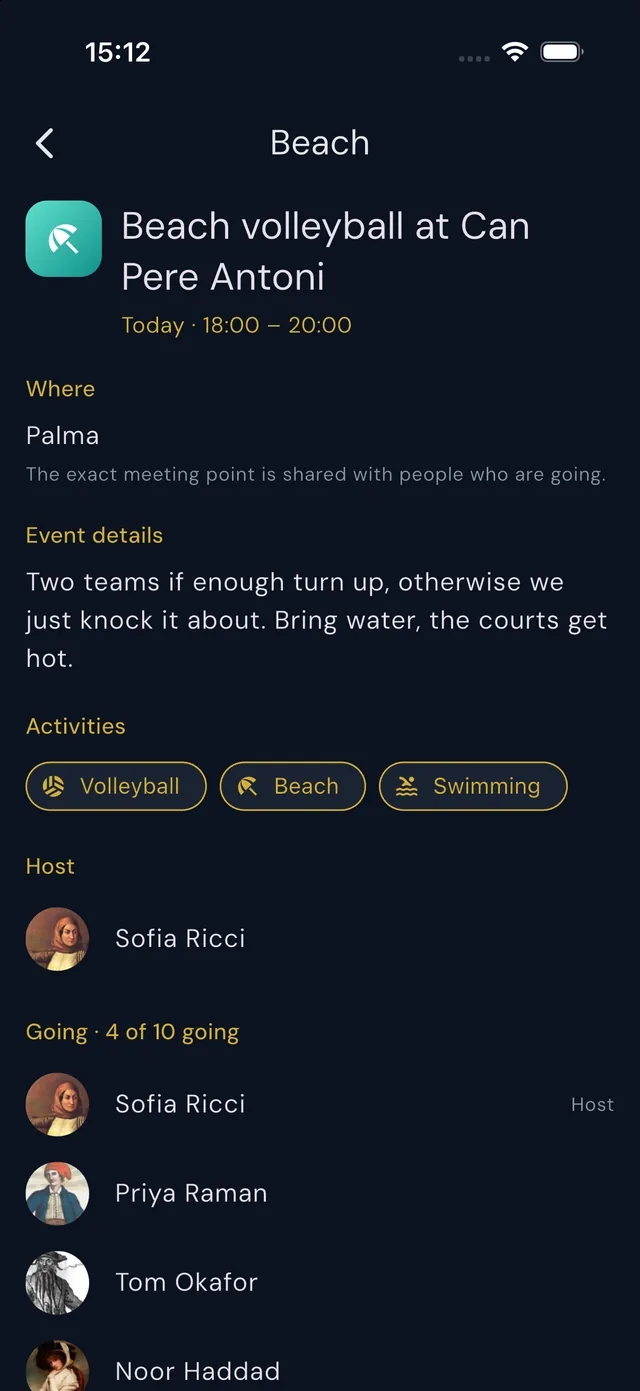
Knowing somebody is nearby is one thing. Having somewhere to be is another. Events are the small, short-notice plans crew actually make — coffee before a shift, a swim, five-a-side, drinks after a long turnaround.
See what nearby crew are doing. Events appear on your home screen and on the map, alongside the people. Create something yourself in one screen: what it is, when, roughly where, how many, and who can see it — your connections only, or anyone on OffWatch nearby. Join what somebody else has started, and see who else is going.
Every event says what the host actually has in mind, in their own words, and carries up to three activities. That is how the right crew nearby come across it — someone who dives sees the dive, someone who runs sees the run.
The exact meeting point is only shared with people who are going. Until you join, an event tells you roughly where it is and nothing more precise than that.
Why it exists. Most time ashore is short and unplanned. An app that only tells you who is around leaves the hardest part — someone having to suggest something — entirely to you.
4 · Two separate filters: who sees you, and who you see
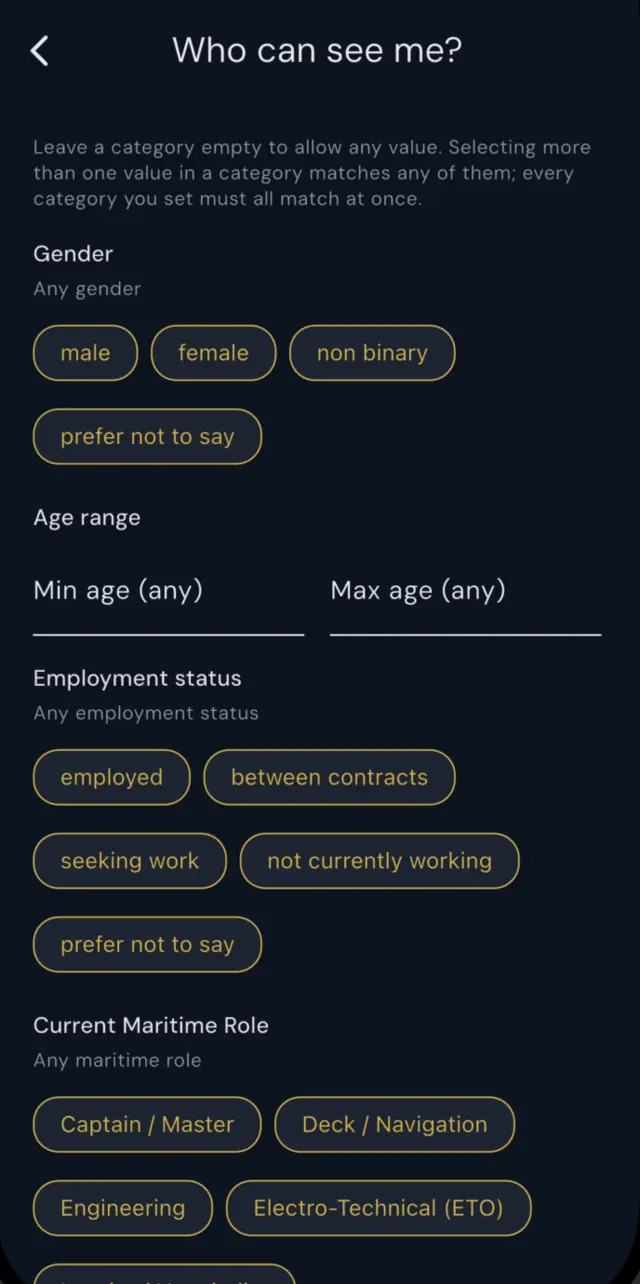
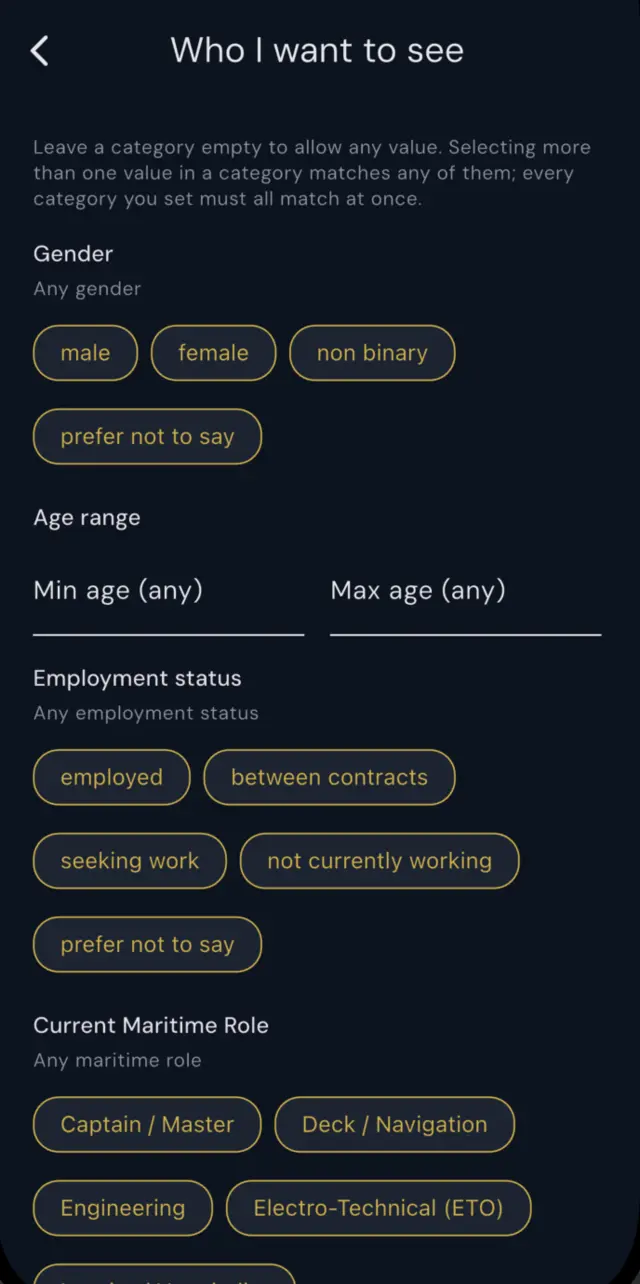
Most apps give you one setting and hope you don’t look too closely. OffWatch keeps the two questions genuinely apart, because they are not the same question:
Who can see me? — the audience rules for your own profile. Who I want to see? — the filters applied to what you get shown. Each has its own screen and its own settings, and you can tune them by gender, age range, employment status and maritime role category.
Why it exists. Wanting to narrow who you browse is not the same as wanting to hide from people, and one control cannot honestly do both. Someone might want to see only deck crew while remaining visible to everyone — or stay visible to nobody while still looking around.
Your filters can only ever narrow. Nothing in the “who I want to see” screen can widen the set of people you are allowed to see — it only subtracts from what you were already eligible to see, and that is enforced on the server, not in the app.
Separately, a single visibility setting covers the blunt cases: visible, connections only, or stealth. Stealth works both ways — if you have hidden yourself from discovery, discovery stops showing other people to you too. You cannot browse from behind one-way glass.
5 · Connect, mutually
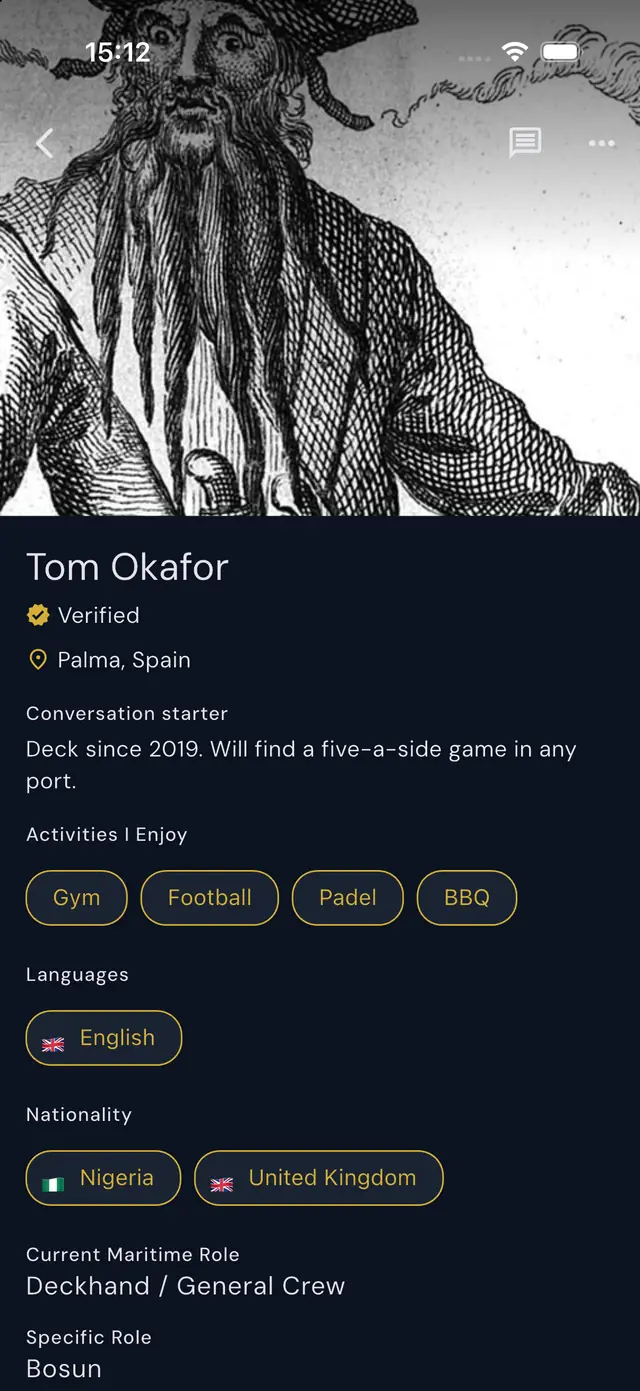
You favourite someone. They never find out. If they independently favourite you back, you become connected — and only then does either of you see it.
Why it exists. OffWatch has no followers and no follower counts. A connection is a relationship both people chose, not a number either of you can run up. A one-sided favourite stays private, so there is nothing to be embarrassed about and nothing to perform.
6 · Stay in touch
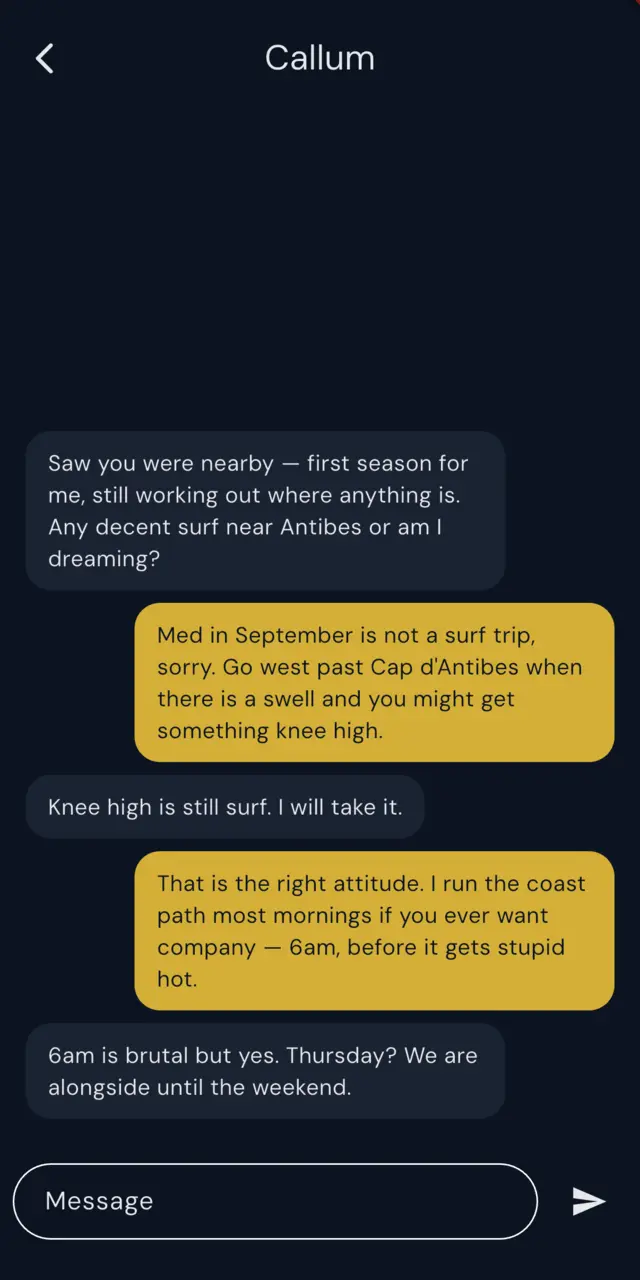
Anyone verified can send a message, so you can say hello to someone you have just met ashore without formally connecting first. Blocking is always available, and blocking stops contact. You might share a port for one evening and not be in the same country again for a year — the friendship shouldn’t end when the overlap does.
Why it exists. OffWatch is not a professional network. It is not for finding work, trading contacts or building a résumé. It is for the people you actually got on with, and for staying in touch with them once you have both sailed.
7 · Know when someone arrives
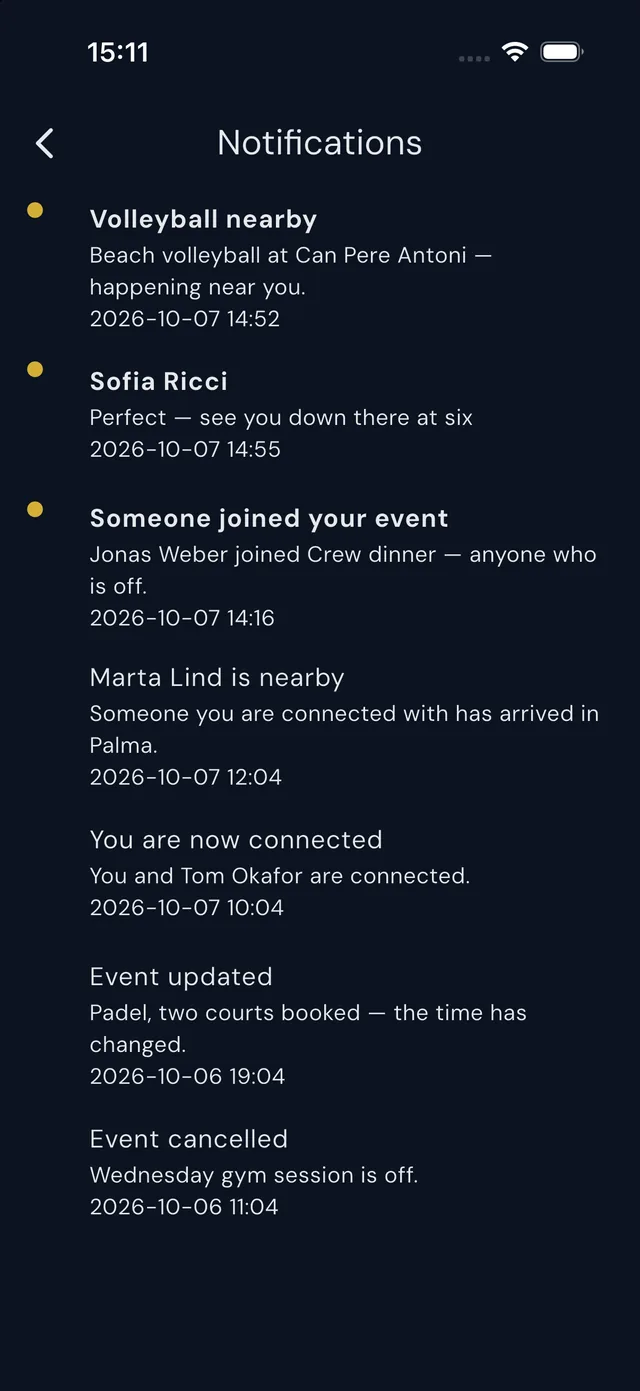
Arrival notifications tell you when a connection turns up nearby, so a short overlap in port doesn’t pass unnoticed. Two boats on the same quay for eleven hours, a crew change in Antibes, a friend whose charter has just dropped them in your marina — the moments that are only useful if you hear about them in time.
They are sent only between people who are already mutually connected, so an arrival alert is always someone you chose.
8 · A verified community
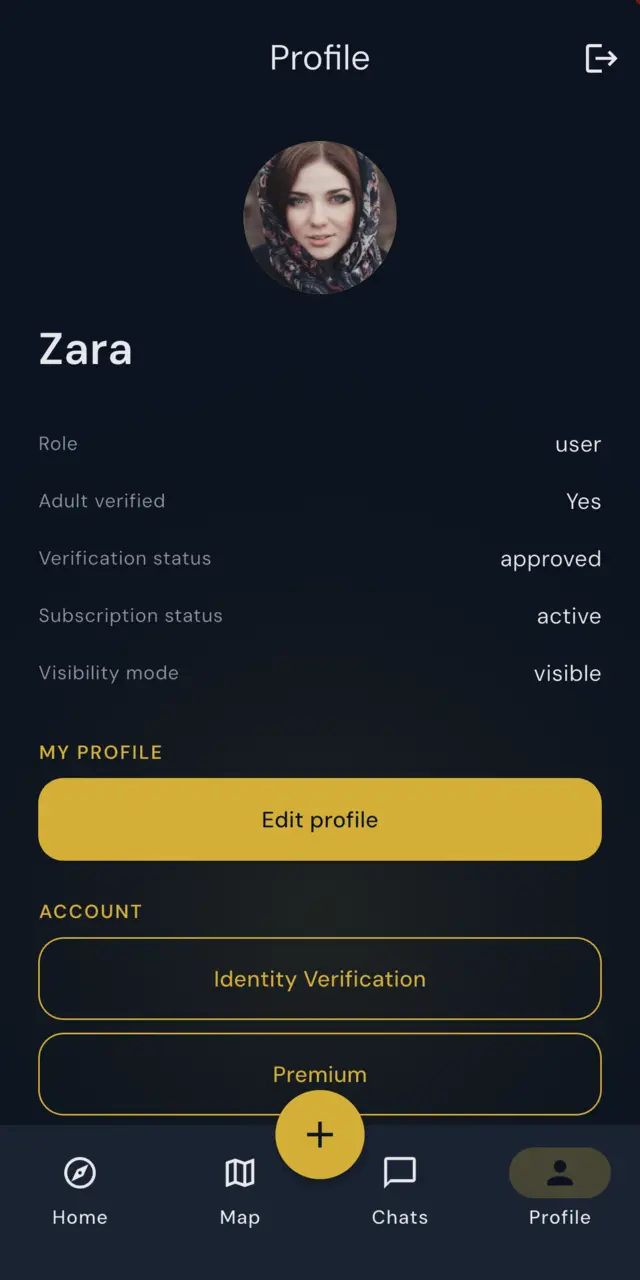
Identity verification is handled by a third-party provider. OffWatch records only whether verification was completed — no documents, no images, no risk scores. We never receive or store your identity documents.
Why it exists. OffWatch is designed around real yacht crew rather than anonymous accounts. Verification supports that; it is not a guarantee about any individual, and no system can be.
Closed Beta
Be among the first crew aboard
Every feature on this page is part of the app — there is no locked tier and nothing held back for a higher plan. OffWatch is one product, and you get all of it.
Beta access is free. We are asking testers to help us build OffWatch, not to buy it — and we don’t pay for it by selling your data, which we don’t do.
OffWatch hasn’t launched publicly yet. Join the beta and we’ll let you know when there’s a place for you.
Your Time. Your Port. Your People.